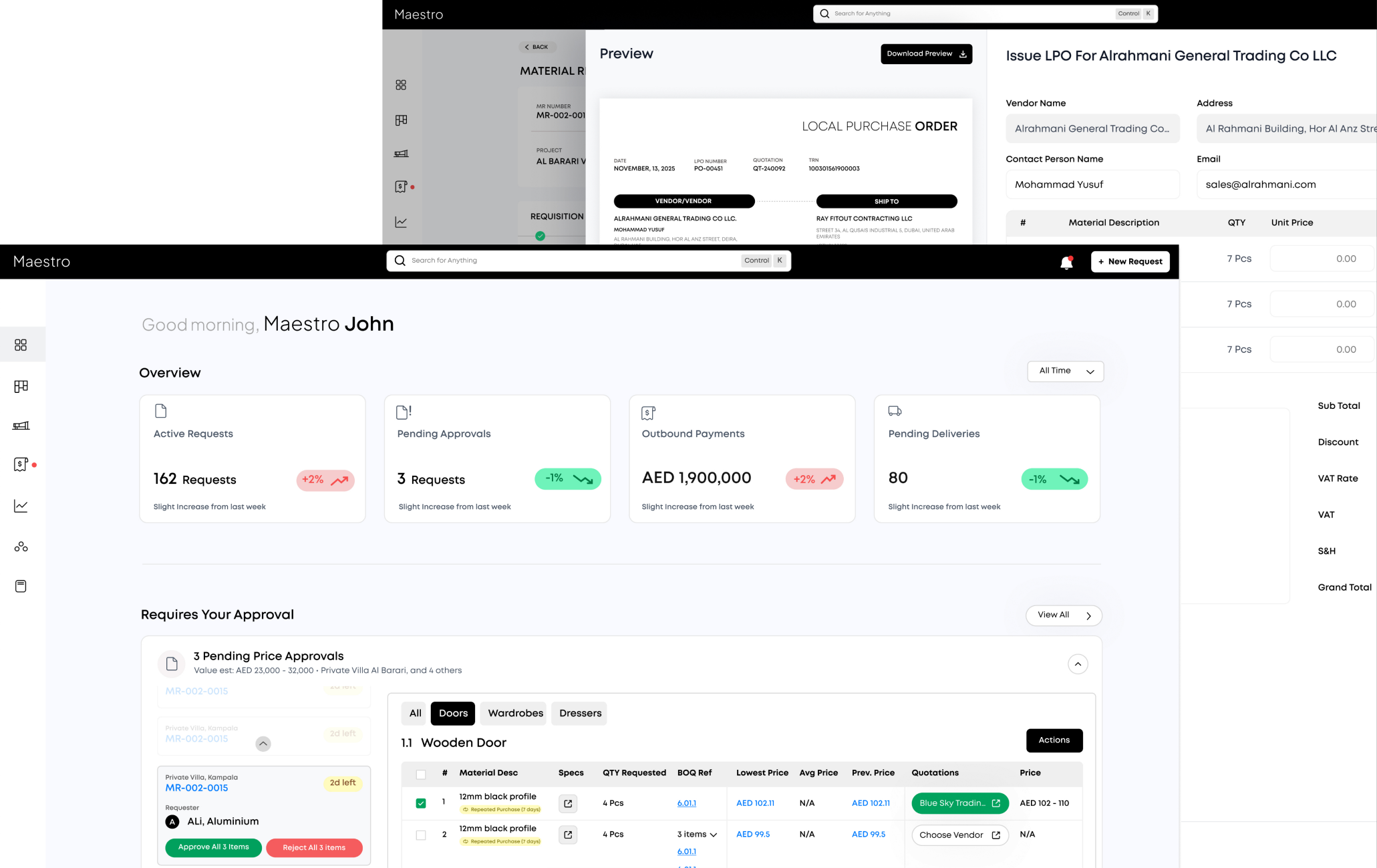
Everything you need to manage your Bill of Quantities
No spreadsheets, no version confusion. Build structured BOQs by project, category, and work package, then track every line item from budget to final delivery in one place.
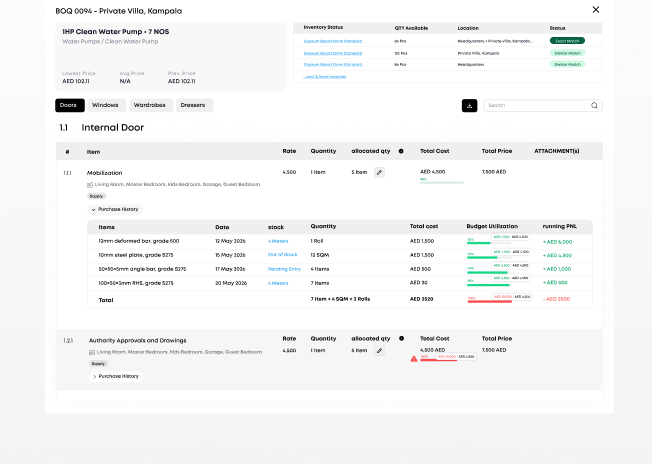
No spreadsheets, no version confusion. Build structured BOQs by project, category, and work package, then track every line item from budget to final delivery in one place.
Structured BOQ creation organized by area, room, and work package with real-time budget visibility across every active project.
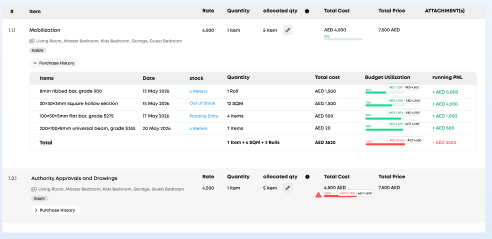
Live cost tracking against BOQ line items so you know exactly where your budget stands before overspending kicks in.
Map every material request back to its BOQ reference, keeping scope, quantities, and approvals aligned at all times.
Compare vendor quotes against BOQ rates and historical prices to get the best value on every line item.
Maestro notifies you the moment a BOQ item is requested, approved, over budget, or delivered. Every status change reaches the right person without manual follow-ups.
Whether it’s reviewing BOQ-linked requests with built-in budget checks or reallocating quantities across projects, Maestro keeps BOQ operations simple for everyone on the team.
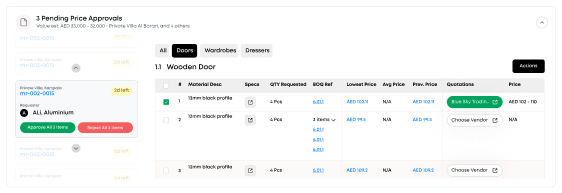
Review material requests mapped directly to BOQ line items. See remaining quantities, budget impact, and vendor recommendations, then approve or reject in one tap.
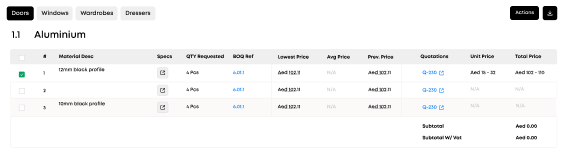
Check lowest and previous price against BOQ line items. Compare vendor quotes, review historical pricing trends, and ensure budget alignment before approving material requests.
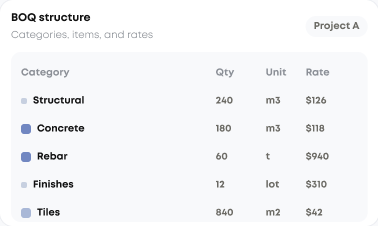
Create hierarchical BOQs organized by project, area, room, or work package. Define quantities, units, and rates with full category tagging for easy filtering.
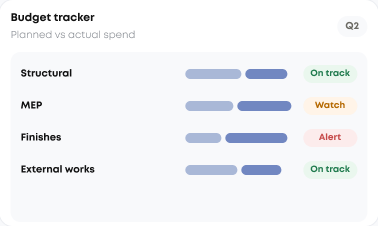
Monitor committed spend against BOQ budgets in real time. Drill into line-item breakdowns to see exactly where costs are trending and catch overruns early.
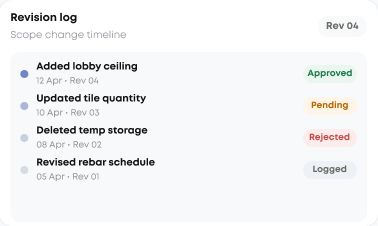
Log every BOQ revision with full version history. Track additions, deletions, and quantity changes with automatic budget recalculation and approval workflows.
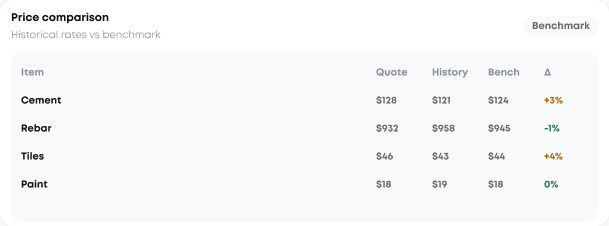
Access historical rates for every BOQ item across past projects and vendors. Compare current quotes against benchmarks to negotiate better prices.
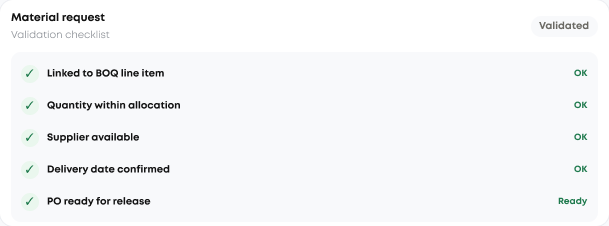
Link material requests directly to BOQ line items. Auto-validate quantities against remaining BOQ allocations before purchase orders go out.
Maestro accepts any BOQ structure. Import your existing spreadsheets or templates and the system parses categories, quantities, and rates automatically. Your team can start raising material requests against BOQ items within hours, not weeks.
Yes — down to the line item. Every requisition, LPO, GRN, and invoice is posted against its BOQ reference, so committed spend, actual spend, and remaining budget update live as work progresses.
Raise a revision. Maestro keeps full version history for every BOQ, logging additions, deletions, and quantity changes, recalculating the budget automatically and routing the change through your approval chain.
They can. Each project keeps its own structure and category tagging — there is no forced template — while cost intelligence still consolidates across the portfolio.
No credit card. Get set up with your first warehouse in a day.