Everything you need to manage your inventory

No complex IT rollouts. Import your stock data, track real-time warehouse levels, manage multi-site transfers, and automate goods received notes from one platform.
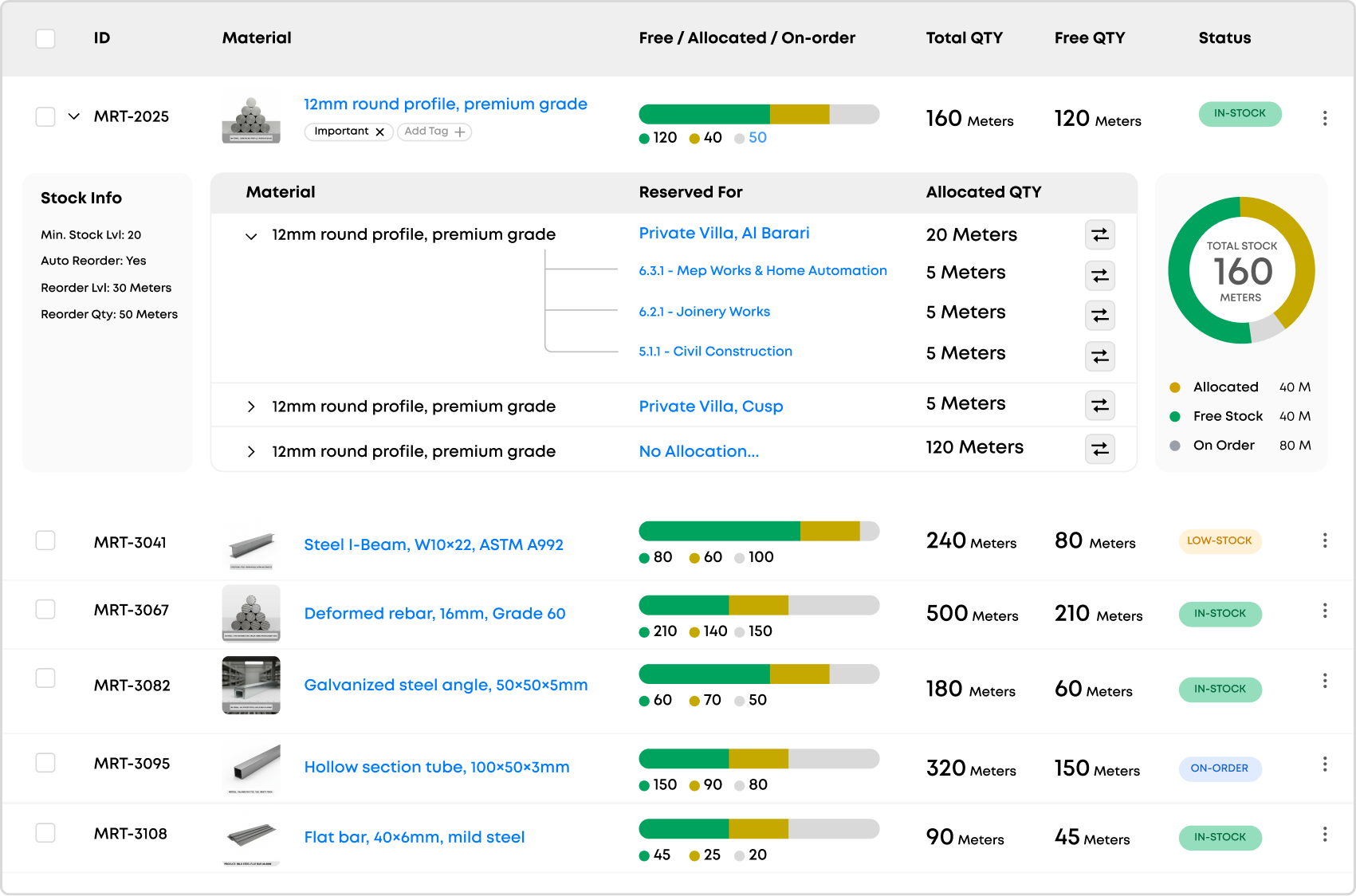
Inventory dashboard with stock levels and allocation

Real-time tracking of materials across every warehouse, site, and storage location in your organization.

Stock valuation and consumption analytics that keep inventory costs transparent and under control.

Centralized inventory controls to manage stock levels, site transfers, and warehouse operations in one place.

Reorder-point alerts and demand forecasting to prevent stockouts and reduce excess holding costs.
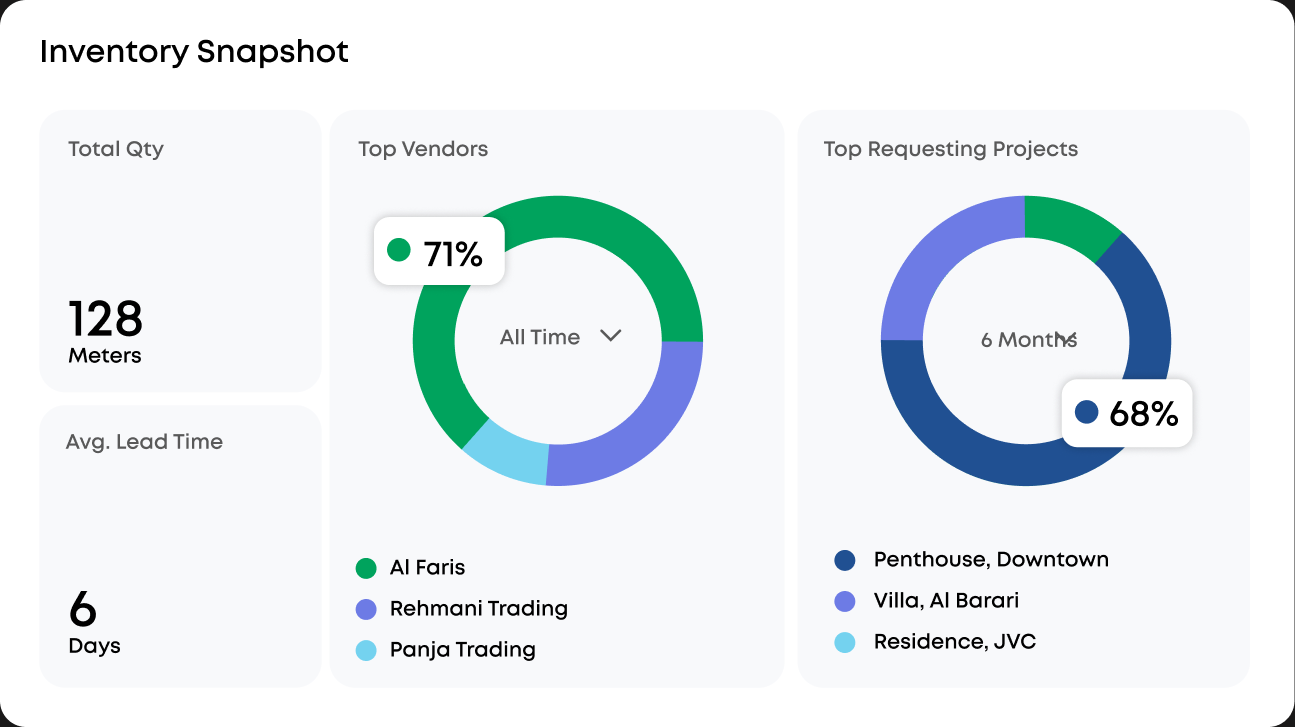
Full visibility across every warehouse.

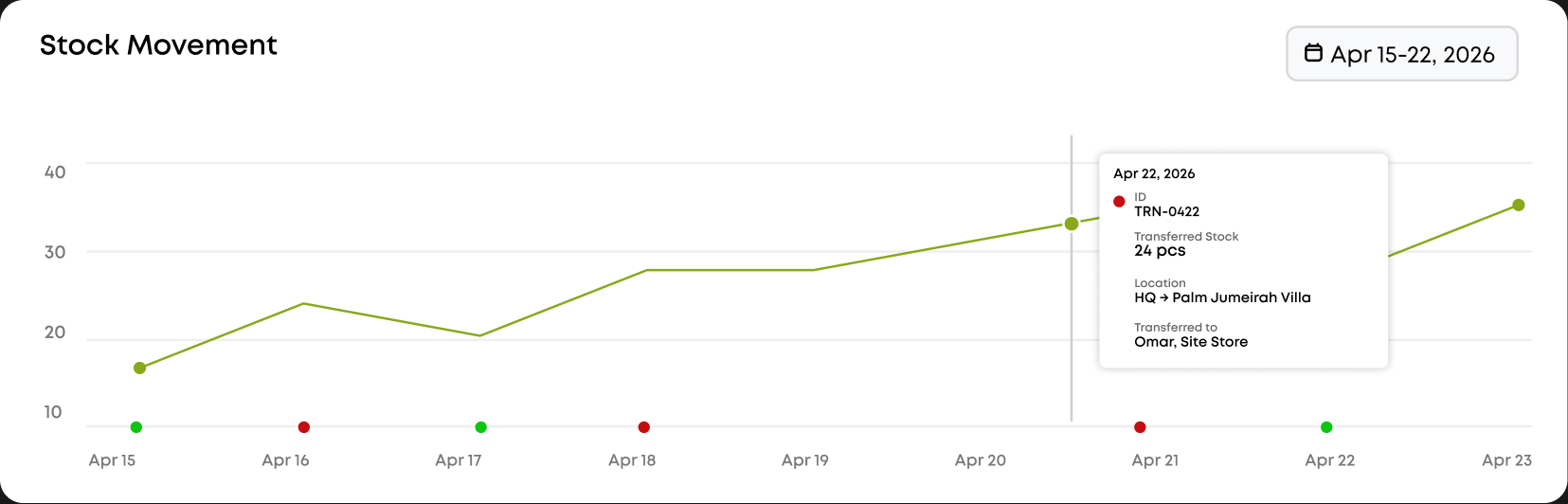
Detailed stock history and locations.

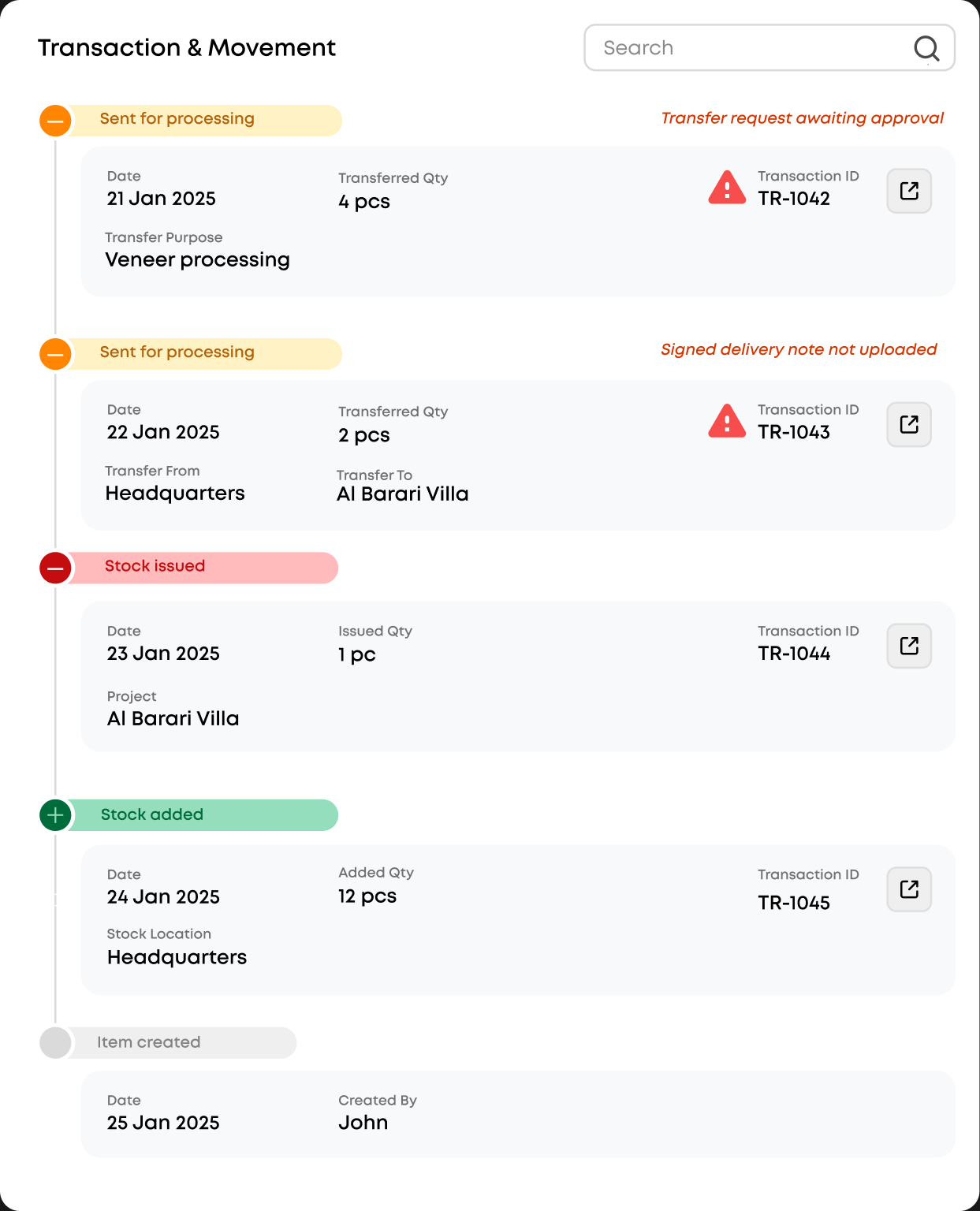
Access a full timeline of every stock movement — from receiving and transfers to adjustments and dispatches — with precise location tracking across warehouses, zones, and bins.

Stock movement chart Inventory snapshot

Stay updated on every stock movement.

Maestro notifies you for every inventory action — material requests, approvals, goods received, stock transfers, and reorder alerts. You stay informed at every stage.

Transaction and movement timeline

Effortless for site and
warehouse teams

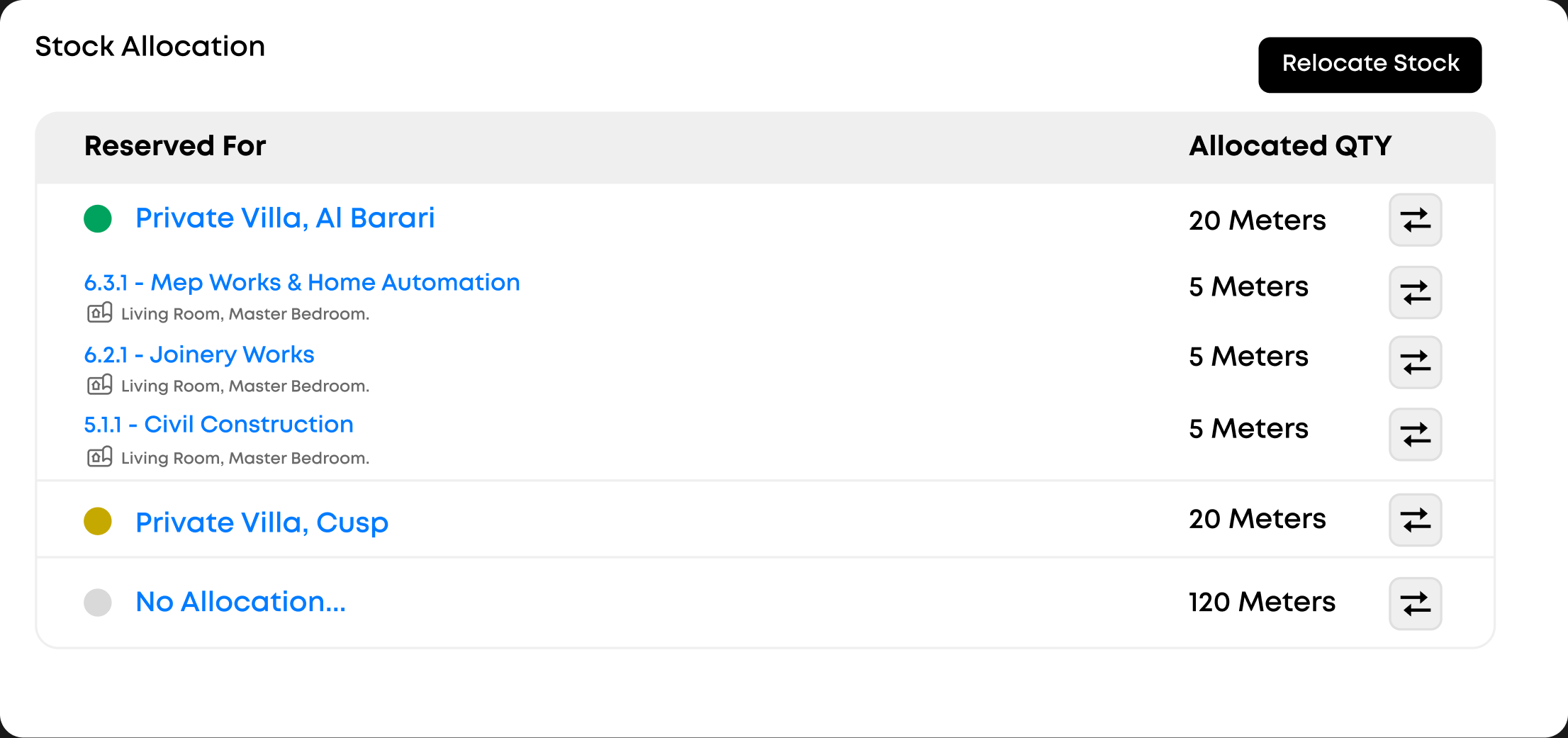
Stock allocation monitoring

Monitor Allocation

Track and manage stock allocation in real time with automated inventory monitoring — giving procurement teams full visibility into available materials, preventing shortages, and keeping order planning on point across all warehouses.

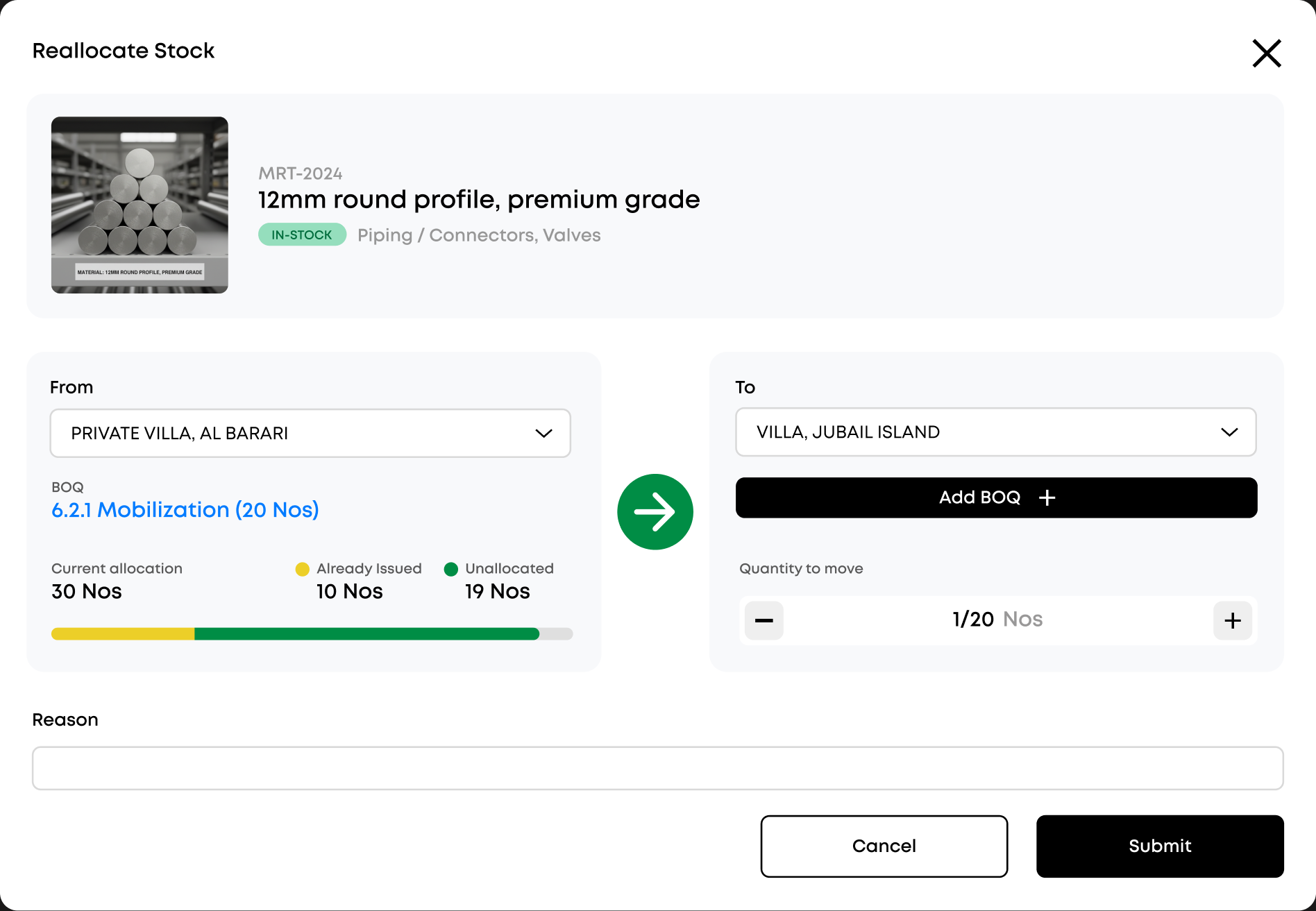
Reallocate stock across sites

Reallocate stock across sites

Move materials between warehouses and project sites instantly. Just pick the source, destination, and quantity — no manual recounting or paperwork needed.

Before you book a demo

Every material is tracked in real time across all your warehouses, zones, bins, and project sites. You see free, allocated, and on-order quantities at a glance, with a full movement history for each item — receiving, transfers, adjustments, and dispatches.

Yes. Maestro auto-generates GRNs on delivery and lets you move stock between sites in a few taps — pick the source, destination, and quantity, and the counts update everywhere instantly. No manual recounting or paperwork.

Set reorder points per item and Maestro sends demand-forecast and low-stock alerts before you run out — so you prevent stockouts on site while avoiding excess holding costs.

Most teams are up and running within a day. Import your stock data and locations, set your reorder points, and your warehouse and site teams can start tracking materials right away — no lengthy IT rollout.

Stop losing materials to spreadsheets and guesswork

No credit card. Get set up with your first warehouse in a day.

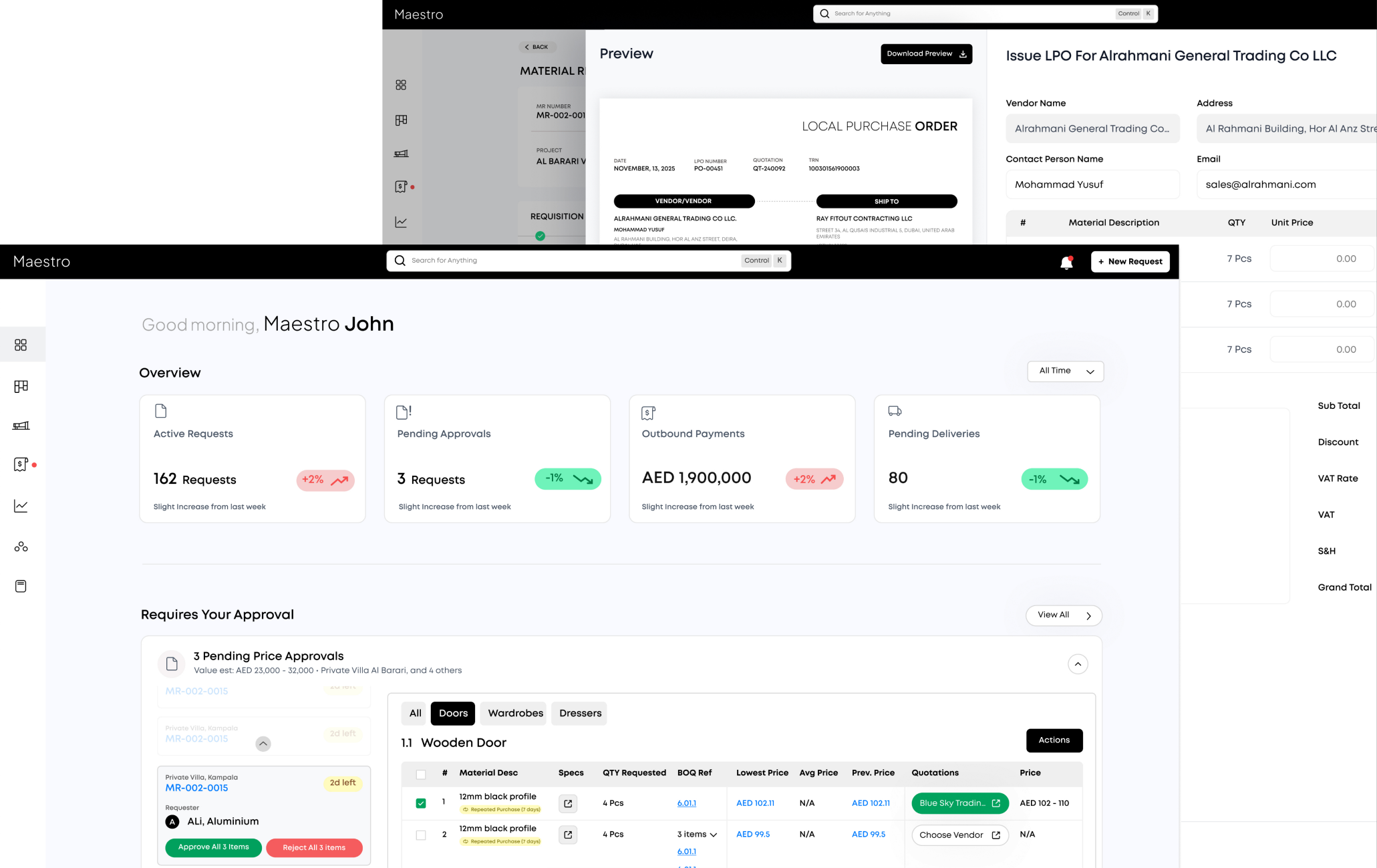
Maestro inventory dashboard