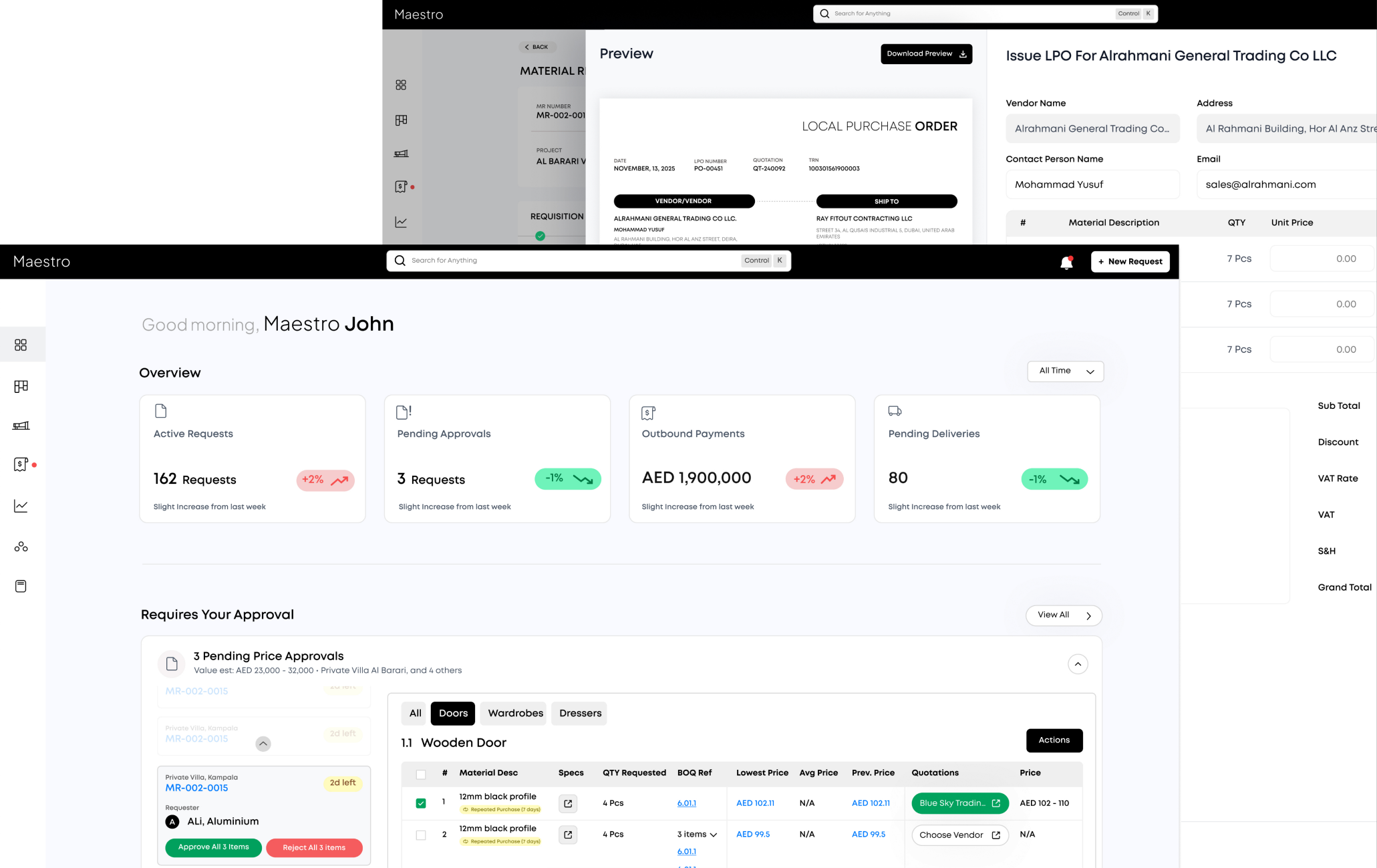
Everything you need to control your
project costs
Bring your existing BOQ structure, track real-time spending, analyze cost variances, and forecast budgets from one platform.
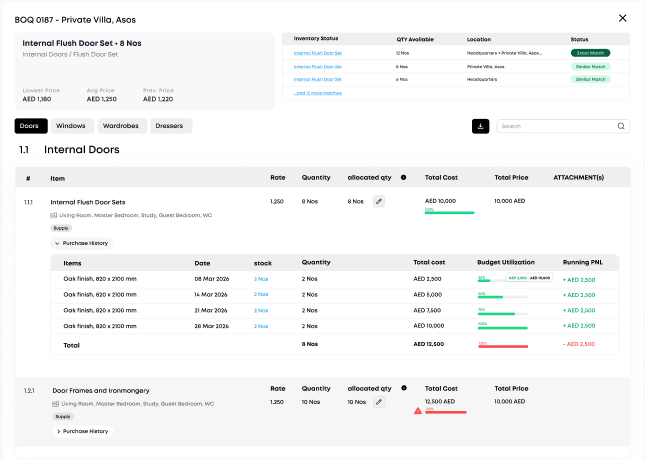
Bring your existing BOQ structure, track real-time spending, analyze cost variances, and forecast budgets from one platform.
Whether it’s reviewing project-level cost summaries or reallocating budgets across BOQ items in a few clicks, Maestro keeps daily cost management simple for everyone.
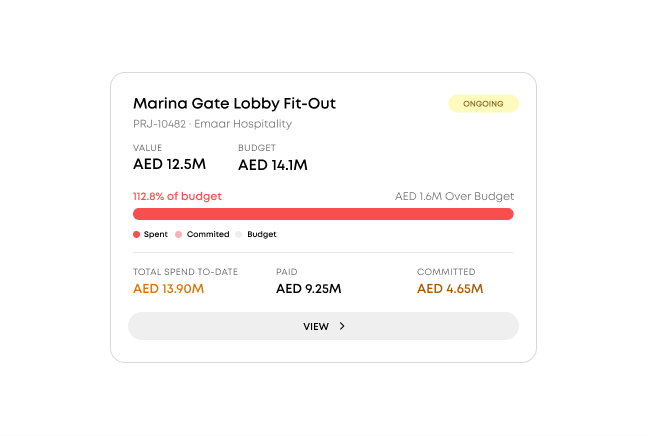
Review real-time cost summaries per project, per vendor, or per BOQ item, with flags that highlight the biggest cost drivers and budget risks automatically.
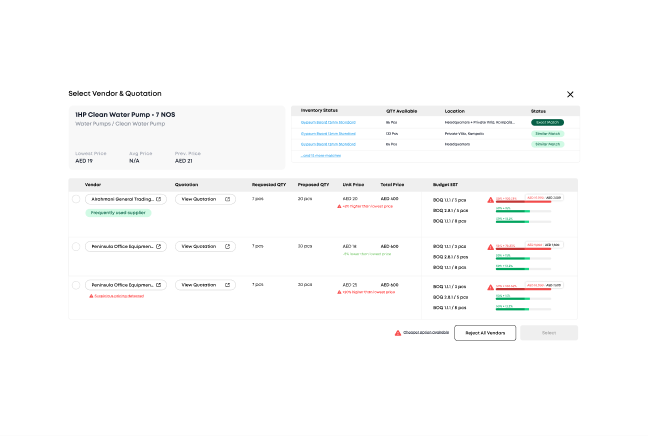
Shift budget allocations between BOQ line items or project phases instantly. Just select the source, destination, and amount. No spreadsheets or manual reconciliation.
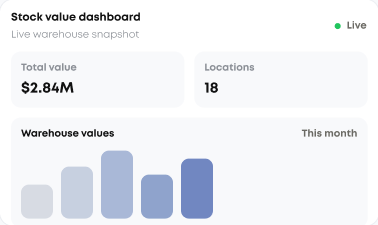
Track material costs and stock values across locations, then use inventory movements and Goods Received Notes as live inputs for spend visibility, cost allocation, and budget control.
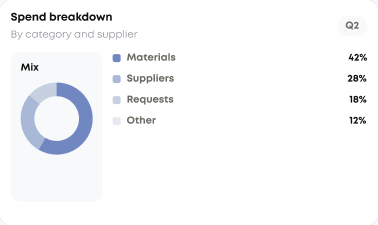
Analyze spending across materials, BOQ items, requestors, and suppliers. Drill into cost breakdowns to identify the biggest contributors to project cost overruns.
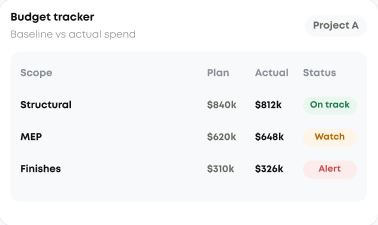
Connect BOQ baselines to actual project spend by area, room, and line item, with budget tracking, over-budget alerts, and scope-change cost logging tied directly to cost analysis.
Design tailored workflows that alert project managers and finance teams when spending thresholds are breached, keeping cost transparency and accountability at every stage.
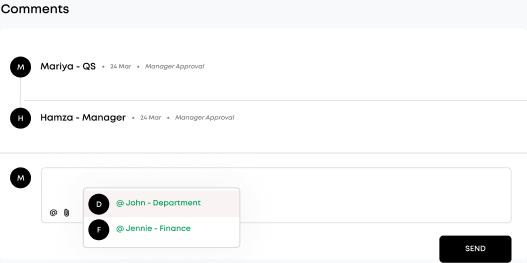
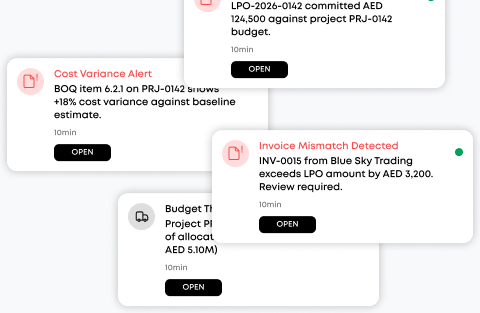
Maestro sends real-time cost alerts for every budget movement, from requisition approvals and purchase commitments to invoice payments and variance spikes. You stay informed at every stage.
Every purchase order, invoice, and payment is logged against the BOQ the moment it happens. Dashboards update automatically so you always see live budget consumption, committed costs, and remaining balances. No manual data entry or end-of-month reconciliation.
Yes. Cost breakdowns can be sliced by project, vendor, requestor, BOQ item, room, or category — so you can see where spend is concentrated and which suppliers are driving it, across one project or the whole portfolio.
It flags them as they form. Requisitions linked to BOQ items that have exceeded — or are approaching — their allocated budget are highlighted with the variance and current utilization, so the cost impact is reviewed before anything is approved.
Yes. Any cost view can be exported with its full backing trail — BOQ references, LPOs, GRNs, invoices, and approvals — so figures reconcile line by line against the source documents.
No credit card. Get set up with your first warehouse in a day.